
Mixing Two AI Brains: OpenCLIP + all-MiniLM-L12-v2 for Photo Recommendations
11th June 2026 • 8 min read — by Aleksandar Trpkovski
Play audio summary
A few weeks back I wrote about what OpenCLIP did to my photo library - turning my entire collection into 1024-dimensional vectors I could search through. That post was about finding photos. This one is about a quieter feature I'd been wanting to add for months: on every image inside the Through The Lens section of my blog, suggest three more photos the reader might like to see next.
I'd already done something similar on the blog itself - every article ends with three recommended articles, picked by a small text-embedding model running over the article content.
My first thought was to do the same thing again but swap the text model for OpenCLIP. The problem is that OpenCLIP only sees the pixels. It has no idea about the story behind the image - the location, the gear I used, the technical details. And every photo in my library already comes with all of that written down: location, description, keywords, and a short story about the shot. That text is sitting right there, waiting to be used. So I ended up using both models in parallel: OpenCLIP to embed the image, all-MiniLM-L12-v2 to embed the text, and combining the two similarity scores into one final ranking.
What Each Model Sees
OpenCLIP and all-MiniLM-L12-v2 do completely different jobs, and that's the whole reason I'm using both.
OpenCLIP is a 1024-dimension vision model that captures the semantic meaning of an image as a vector. It's the same model I covered in detail in my previous article, where I used it to make my entire photo library searchable. In practice that means OpenCLIP knows a sunset over Whisky Bay is visually closer to a sunset over the Twelve Apostles than to a black-and-white shot of Melbourne at night. It picks up colour, light, composition, and subject - the things your eye notices first.
all-MiniLM-L12-v2 is a very different kind of model. Where OpenCLIP looks at pixels, this one reads text. It's much smaller - only 384 dimensions - and turns any piece of text into a vector that captures its meaning, so sentences about related topics end up close together even when they use different words. For each photo, I feed it everything I wrote: the title, the location, the description, the keywords, and the short paragraph about how I took the shot. Two photos taken at Wilsons Promontory with a 17-35mm lens will land near each other in this space, even when one is a sunrise and the other is a long-exposure night sky.
One model sees the photo. The other reads the story behind it.
That's exactly why I'm combining them. OpenCLIP gives me the visual side - composition, colour, mood. all-MiniLM-L12-v2 gives me the contextual side - the location, the gear used, what the photo is actually about, the story I wrote alongside it. Either one on its own would miss half the picture. Together they recommend photos that look right and feel related.
The Maths of Blending Two Models
The two vectors live in completely different spaces. 1024 dimensions versus 384. They can't be compared directly. So how do I combine them?
The trick is to not combine the vectors at all. I combine the similarities.
For two photos A and B, I compute two cosine similarities independently:
sim_image = cosine(A.image_vec, B.image_vec)- inOpenCLIPspacesim_text = cosine(A.text_vec, B.text_vec)- inall-MiniLM-L12-v2space
Then I blend them with a single tunable weight α:
score = α * sim_image + (1 − α) * sim_text
That's it. The whole "combining two models" idea is one line. For my gallery I set α = 0.6, so 60% of the final score comes from the visual similarity and 40% from the text. Visual leads because this is a photo gallery first. α doesn't have to be 0.6 though - pick 0.7 if you want recommendations to lean more on the visual side, or something lower if you want the text side to drive.
Two paths to the same number
There's actually a second way to combine the two scores: concatenate both vectors into one long vector and compute a single cosine similarity. It works, and mathematically it gives the exact same number as the late-fusion version above. To see why, let's shrink the real problem (1024 + 384 dimensions) down to (2 + 2). Same maths, far easier to read.
Two photos, each with a tiny image vector and a tiny text vector:
| image vector | text vector | |
|---|---|---|
| Photo A | [1, 0] | [1, 0] |
| Photo B | [1, 0] | [0, 1] |
A and B look identical (same image vector) but their text descriptions are completely unrelated (perpendicular text vectors). All four vectors are already unit length, so cosine similarity here is just the dot product.
Path 1: late fusion - two cosines, then average.
sim_image = (1 × 1) + (0 × 0) = 1     <- identical images
sim_text  = (1 × 0) + (0 × 1) = 0     <- unrelated text
average   = (1 + 0) / 2 = 0.5
Path 2: concatenate, then one cosine.
A_full = [1, 0, 1, 0]
B_full = [1, 0, 0, 1]

dot     = (1×1) + (0×0) + (1×0) + (0×1) = 1
|A|     = sqrt(1 + 0 + 1 + 0) = sqrt(2)
|B|     = sqrt(1 + 0 + 0 + 1) = sqrt(2)
cosine  = 1 / (sqrt(2) × sqrt(2)) = 1 / 2 = 0.5
Same number. Both paths land on 0.5.
The reason isn't magic. When you concatenate two unit vectors, the combined vector has length √2 (Pythagoras across the two halves), so the bottom of the cosine formula becomes 2. The top works out to sim_image + sim_text. Divide and you get the average.
To get my 60/40 weighting instead of a 50/50 average, the concatenation path needs a small tweak: before stitching the two halves together, scale the image side by √α and the text side by √(1-α). With α = 0.6 that means multiplying the image half by √0.6 ≈ 0.7746 and the text half by √0.4 ≈ 0.6325. Running the same arithmetic as before on the tiny example:
A_full = [0.7746, 0, 0.6325, 0]
B_full = [0.7746, 0, 0,      0.6325]

dot     = (0.7746 × 0.7746) + 0 + 0 + 0 = 0.6
|A|     = sqrt(0.6 + 0 + 0.4 + 0) = sqrt(1) = 1
|B|     = sqrt(0.6 + 0 + 0 + 0.4) = sqrt(1) = 1
cosine  = 0.6 / (1 × 1) = 0.6
That's exactly the number late fusion gives: 0.6 × 1 + 0.4 × 0 = 0.6. Same final score, just with the weight baked into the vectors instead of multiplied into the similarities.
I picked the late-fusion path because 0.6 * sim_image + 0.4 * sim_text reads exactly like what it does - the weight α is a plain number sitting right there in the code. The concatenation version is just as correct, but it forces the reader to remember that the scaling factor is √α (not α), and that L2-normalisation has to come before the scaling.
The Build Pipeline
There are three small scripts that run when I add new photos. Each one is small enough to read in one sitting.
1. Text embeddings (Node). Walks every photo markdown file, builds a text blob from the title, location, description, keywords, and body, then runs all-MiniLM-L12-v2:
const extractor = await pipeline("feature-extraction", "Xenova/all-MiniLM-L12-v2");
const output = await extractor(text, { pooling: "mean", normalize: true });
const textEmbedding = (output.tolist() as number[][])[0];
The output is a 384-dim vector. I save one per photo, keyed by the photo's URL path.
2. Image embeddings (Python). OpenCLIP only has a Python implementation, so this step lives in a single Python file. I use uv so it runs with zero setup - dependencies are declared inline in a PEP 723 header:
# /// script
# requires-python = ">=3.10"
# dependencies = ["open_clip_torch", "torch", "pillow"]
# ///
Then the encoding itself is the same three-line pattern I used in my previous article on OpenCLIP:
model, _, preprocess = open_clip.create_model_and_transforms(
    "ViT-H-14", pretrained="dfn5b"
)
tensor = preprocess(Image.open(path)).unsqueeze(0).to(device)
image_vec = model.encode_image(tensor)
Running it is a single command: uv run scripts/generate_photo_image_embeddings.py. No virtualenv, no requirements.txt, no pip install. uv reads the inline header and sets everything up the first time.
3. Merge. A trivial Node script joins both files by photo path and writes the final photo-embeddings.json. Each entry now carries both vectors:
{
    "photoPath": "/through-the-lens/wild-horizons/whisky-bay",
    "textEmbedding": [
        /* 384 floats */
    ],
    "imageEmbedding": [
        /* 1024 floats */
    ]
}
This merged file is the single source of truth. I commit it to the repository. No database, no vector store, no runtime API key. Same idea as my original article recommender - just with a second vector per item.
The Runtime API
The endpoint is small enough to fit in your head. It loads the JSON, finds the current photo, scores every other photo, returns the top three:
const ALPHA_VISUAL = 0.6;

const scored = entries
    .filter((p) => p.photoPath !== currentPath)
    .map((p) => {
        const sim_image = cosineSimilarity(current.imageEmbedding, p.imageEmbedding);
        const sim_text = cosineSimilarity(current.textEmbedding, p.textEmbedding);
        const combined = ALPHA_VISUAL * sim_image + (1 - ALPHA_VISUAL) * sim_text;
        return { ...p, sim_image, sim_text, combined };
    })
    .sort((a, b) => b.combined - a.combined)
    .slice(0, 3);
I deliberately return sim_image, sim_text, and combined per result. While I'm iterating on α, I can hit the endpoint directly and see exactly which signal is driving each pick. That kind of visibility is cheap to add and pays for itself the first time a recommendation surprises me.
What the Reader Actually Sees
On every photo page, just below the next/previous navigation, there's now a "Similar Photos" section with three cards. Each card shows the photo, the title, and the location.
The interesting part is what gets recommended. There are roughly three patterns I see, and each one is worth looking at.
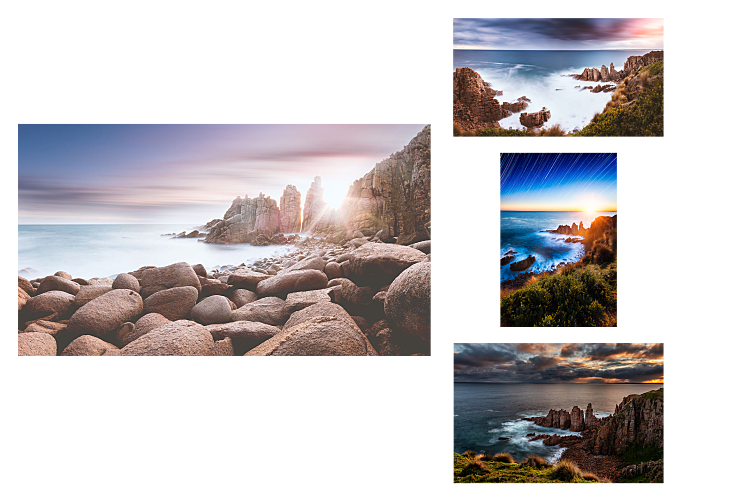
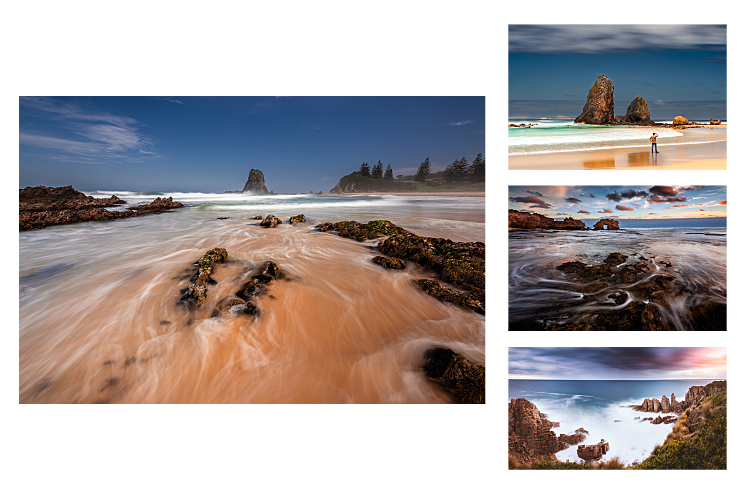
OpenCLIP leading the ranking. Sometimes the three picks share a strong visual fingerprint - the same kind of light, the same kind of composition - even when the photos were taken thousands of kilometres apart. That's OpenCLIP talking.
all-MiniLM-L12-v2 leading the ranking. Other times the picks share a location, a piece of gear, or the same kind of story - four shots from the same lookout captured at four different times of day - even when the lighting and mood look nothing alike. That's the text side talking.
Both models agreeing. And sometimes both signals line up - a photo that's visually close to the source AND tells the same kind of story. Those are the moments where the recommendations feel uncannily right.
Tuning the Blend
The honest answer is that α = 0.6 is a starting point, not a final answer. I treated this like a knob to turn rather than a decision to commit to. Because the API returns both raw similarities, I can browse a few photo pages, look at which signal is dominating, and shift α if the balance feels off.
If you build something similar, here's the small intuition I landed on:
- Higher
α(more visual) for galleries where photos tell short, repetitive stories. Composition is the dominant signal. - Lower
α(more text) when your captions are rich, story-driven, and varied. The prose carries more relational meaning than the pixels. α = 0.5is a perfectly defensible default if you have no opinion yet.
Closing Thought
I don't think the takeaway is "OpenCLIP plus all-MiniLM-L12-v2 is better than either alone." The takeaway is that different models see different things, and the interesting territory is in combining their views without forcing them into the same vector space.
OpenCLIP doesn't know that two photos were both taken at Wilsons Promontory. all-MiniLM-L12-v2 doesn't know that two photos share a colour palette. Neither model is wrong - they're just looking at different parts of the photo. The blend is a way of saying: I care about both.
It's also a reminder that some of the most useful AI features aren't a single fancy model. They're two small ones, used honestly, with a single weight in between. The code that holds the whole thing together fits in a few hundred lines. The blog repository is on GitHub if you want to see the wiring.
Further Reading
Explore more articles that might interest you.